
October 26, 2026


One of the most common conversations we have with new clients starts the same way: the website is live, HubSpot is set up, and the meetings still aren't coming in. After auditing dozens of HubSpot portals, we see the same pattern every time:
HubSpot is doing exactly what it was set up to do. The problem is that what it was set up to do isn't enough anymore. Too many companies are running a 2019 website on a 2027 platform, and the gap between those two things is where pipeline disappears.
The Gut-Check
Before we get into what's not configured, here's a quick way to know if your site has fallen behind. In 2027, your website should be agile, intelligent, and converting. Here's what it looks like when it isn't:
- It's difficult to modify, and updates have a habit of breaking things
- It's disconnected from your customer data and difficult to draw insights from
- It was built for top-of-funnel search traffic and the messaging is generic
A site that has a shot at generating pipeline today needs to do four things well: Express your brand credibly, Tailor messaging to whoever's visiting, Amplify your presence across the right channels, and Evolve based on what's working. We've written about this framework in depth, but the short version is that most HubSpot sites are only doing one of those things consistently. The features below are what close the gap.
The Five Features You're Probably Not Using
Smart CTAs
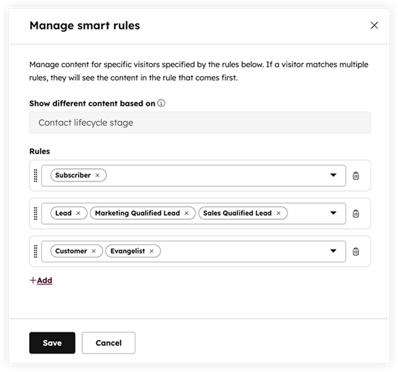
When we optimize a new client's HubSpot, fewer than 20% of Smart CTA slots are configured. What that means in practice is that your website is showing the same call-to-action to every visitor, whether they're a cold prospect who just found you or a known contact who's visited your pricing page three times.
Smart CTAs change based on lifecycle stage, list membership, traffic source, and more. The gap between a generic "Contact Us" button and a contextually relevant CTA is measurable in conversion rate.
CRM-Connected Personalization
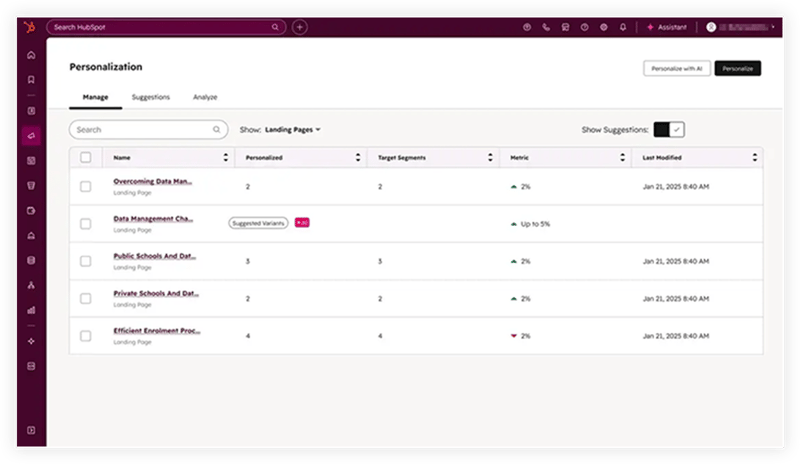
When a known visitor from a target account lands on your homepage, they should see messaging specific to their industry and stage in the buying journey instead of the same generic headline everyone else gets. HubSpot can pull contact and company data directly into page content to make that happen.
Buyer Intent Data
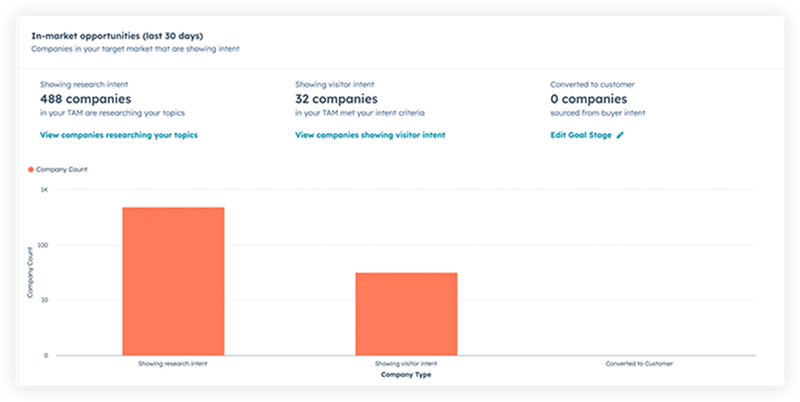
HubSpot can identify companies visiting your site before anyone fills out a form, matching IP addresses to company records and flagging accounts actively researching your category. For B2B teams, this isn't just a report; it's a signal.
When a target account shows up on your pricing page twice in a week, a rep should know about it and reach out.
Source Reporting Tied to Revenue
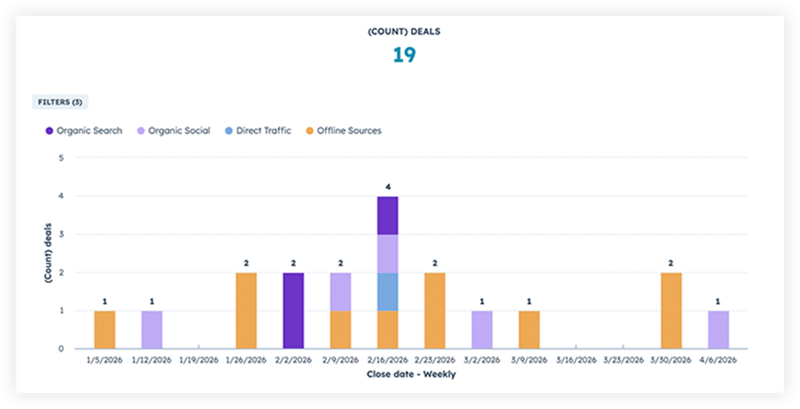
Most of the portals we audit have traffic reporting configured. Almost none have it connected all the way through to closed revenue. Your highest-traffic source might close at a fraction of the rate of a much smaller one, and without that connection, you're optimizing for the wrong thing entirely.
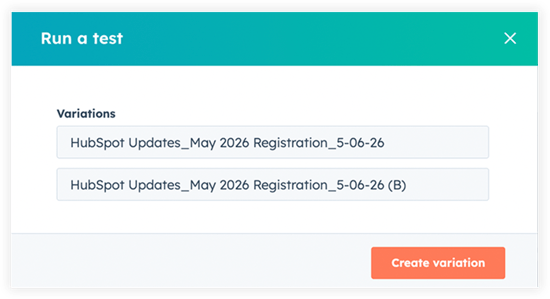
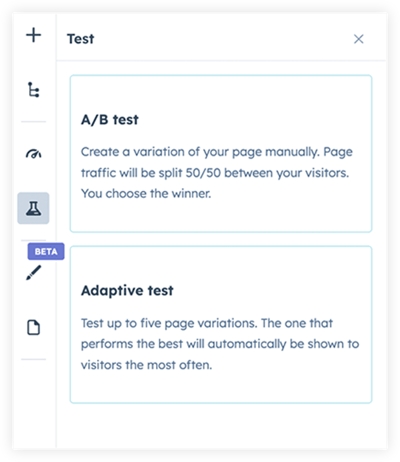
A/B Testing
HubSpot has testing built into website pages and landing pages. If you've never run a single test on a key conversion page, your site is exactly the same as it was on launch day, regardless of what the data might be telling you.
Small changes tested consistently compound fast. But this only works if your theme lets you move quickly without breaking things, which is exactly why we also recommend leveraging a robust, easy-to-use theme (Clean Pro is the one we use).
Why These Features Get Lost
Marketing teams are already running at capacity with no time to explore every feature and set it up correctly. Most of these features also need clean CRM data to work well, which is its own project. And if making a page change requires a developer or risks breaking something, teams stop trying.
That means the theme your site is built on creates real friction, not just a design inconvenience. Clean Pro was designed specifically for HubSpot sites so that non-technical marketers can make changes, run tests, and swap messaging without touching code or filing a ticket.
The teams that get the most out of HubSpot usually have one of two things:
- A dedicated HubSpot admin who lives in the platform
- An agency partner who has configured these features across enough portals to know where the leverage is
Knowing what's possible and knowing what good looks like when it's working is where most teams hit a wall.
What It Looks Like When It's Working
Picture a contact from a manufacturing company: someone already in your CRM who had a discovery call with your team two weeks ago land on your pricing page.
Because your site is properly implemented, they see a headline written for their world, not a generic one. The CTA they're shown reflects where they are in the buying process, not where a first-time visitor would be.
When their colleague visits the site too, it triggers a buyer intent flag, and a rep gets a notification to follow up, even though that colleague never filled out a form.
After a second call with them, your sales team realizes that prospects need more social proof to build trust and passes that insight over to the marketing team. Marketing updates the site with new testimonials and makes case studies more prominent in a matter of minutes, without touching code or waiting for the dev team.
That's what a properly implemented HubSpot should look like. Does yours?
The Gap is Closeable
HubSpot is one of the most capable website and CRM platforms available, and the ROI lives in the implementation. Most of these gaps don't require a big project, they require someone who knows what to look for.
As a Diamond Solutions Partner, we've done this across dozens of portals. We look at what's configured, what isn't, and where the highest-leverage changes are.

Relevant Blog Posts

Top 26 HubSpot Hacks for Marketing Pros
If you've invested in HubSpot Marketing Hub, you know the promise: powerful growth, streamlined processes, a happy team. But let's be real – there's a TON of info out there on HubSpot. Sorting...
Marketing Collateral: The Ultimate Guide (With Examples)
When we’re talking about marketing, things can get kind of buzz-wordy. Marketing collateral. Landing pages. Audience personas. Ever feel like you need a guide to walk you through these things?...

Using Content for Top-of-Funnel Marketing (Plus Examples)
What does your content have to say? Does it answer your audience’s most burning questions? Does it bring them value after they read, watch, or listen to it? Delivering value via content is especially...
