
September 3, 2025

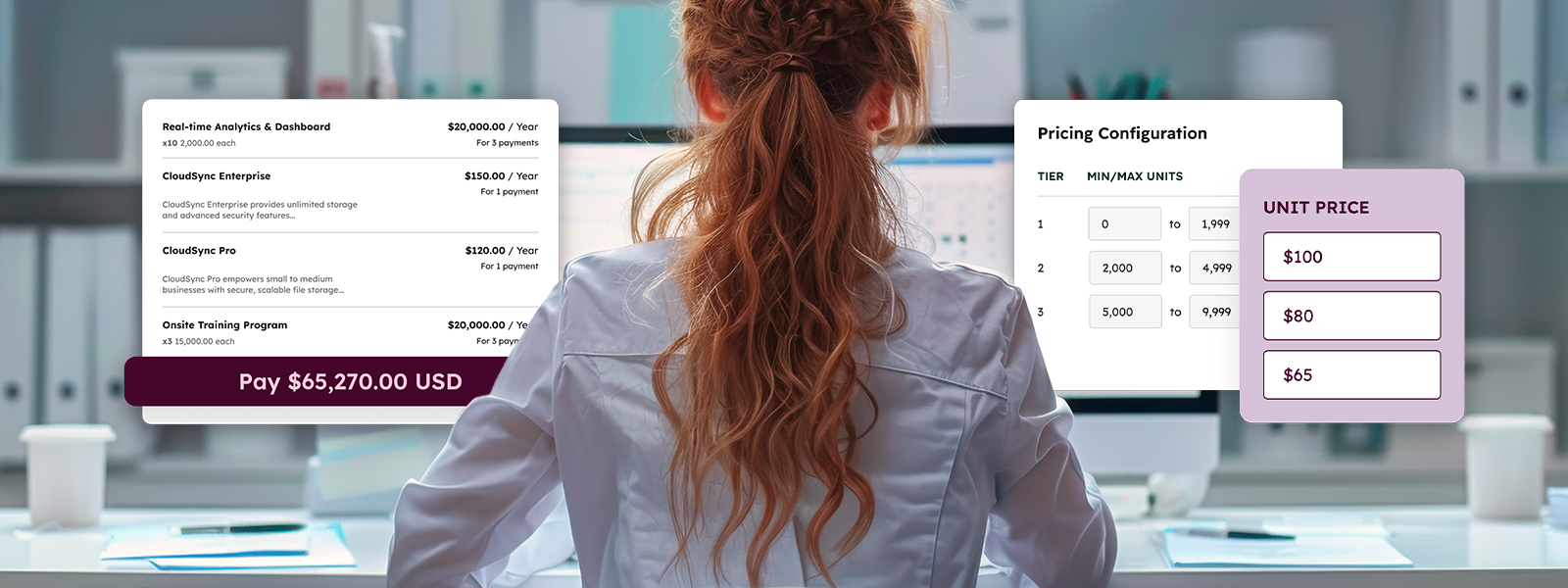
The spotlight was bright at the first-ever west coast INBOUND conference, and HubSpot delivered. One of the biggest announcements was the release of HubSpot’s AI-powered CPQ (Configure, Price, Quote) tool, a long-awaited addition that gives sales teams deeper quoting functionality directly inside the HubSpot platform.
For years, HubSpot’s quoting tool offered users an easy way to generate simple quotes, but they lacked the flexibility and intelligence that some teams needed. With the new CPQ tool, HubSpot moves beyond basic quoting to a robust, AI-assisted experience. Teams can now get advanced quoting, product bundling, and approval workflows, all without leaving HubSpot.
What Is the CPQ Tool and How Does It Help?
HubSpot’s new CPQ tool is designed to remove the friction from one of the most critical parts of the sales process: building accurate, professional quotes that win deals.
With an AI-assisted process, reps can generate quotes in minutes, pulling in details from deal records, call transcripts, or emails to auto-populate pricing, terms, and even personalized cover letters. This reduces manual entry, ensures consistency with what’s been discussed, and produces quotes that are more relevant.
Here’s the full list of features with HubSpot CPQ:
- Single-page quote editor
- Context-driven AI content generation
- Reusable templates
- Built-in reporting
- Standard and advanced approval flows
- Flexible pricing models such as tiered pricing
- AI-powered “Closing Agent”
Together, these features help sales teams create quotes and close deals faster and more effectively. But it isn’t just your sales team that’ll benefit.
For buyers, HubSpot CPQ delivers a streamlined, self-service experience. Instead of back-and-forth emails or outdated PDFs, prospects get polished, accurate quotes that simplify decision-making and accelerate deal closure. They can even ask questions about the quote and get real-time answers with the all-new AI-powered chat tool: Closing Agent.
And because it all happens inside HubSpot, every quote, approval, and payment is tied directly to the CRM, giving teams a single source of truth for forecasting, reporting, and customer engagement.
Seamless Integration Across the HubSpot Platform
One of the biggest advantages of HubSpot CPQ is that it’s fully woven into the HubSpot platform. With CPQ built into Commerce Hub, every step of the quoting process is tied directly to the Smart CRM, billing, and payments. That means your team can manage the entire sales flow, from quote to payment, all in one place.
This unified approach eliminates the headaches of juggling disconnected tools:
- No more copying data from third-party quoting systems into HubSpot
- No more losing visibility when finance manages billing elsewhere
- No more relying on integrations that can leave you with partial data or maintenance headaches
Instead, reps, RevOps, and finance teams all work from the same, real-time dataset. The result: cleaner records, fewer errors, and a reliable foundation across the customer lifecycle.
Forecasting is sharper, reporting is trustworthy, and handoffs between teams are smoother. And because approvals and payments are logged automatically, your team gains visibility without added admin work.
For buyers, this means a more consistent, professional experience. For sellers, it means fewer bottlenecks and more focus on building relationships that drive growth.
Is HubSpot CPQ Right for Your Team?
HubSpot’s new CPQ isn’t just for enterprise giants—it’s designed to help a wide range of teams sell smarter and scale faster.
- Growing product lines? Product bundling, approval rules, and AI-generated quotes keep complexity under control without slowing reps down.
- Need to move faster? HubSpot CPQ removes friction from quoting and approvals, giving reps polished proposals in minutes while managers trust guardrails are in place.
- Greater Governance? Control when a quote needs approved and who needs to sign off with a flexible approvals engine powered by the already familiar workflows tool.
If you want to shorten deal cycles, improve accuracy, and create a scalable quoting process, HubSpot’s CPQ is worth serious consideration.
With that said, there are still a few situations where the new CPQ tool still isn’t the best fit. You’ll likely still need a third-party solution if your organization:
- Requires rule-based product configuration or guided selling experiences (like deal rooms)
- Has complex product catalogs with over 1,000 SKUs
- Has large sales teams with different quoting processes needed for different teams
- Operates in an industry with unique industry-specific quoting requirements, such as manufacturing
How Much Does HubSpot CPQ Cost?
Quoting used to live within HubSpot’s Sales Hub, but the new CPQ tool will be a feature of the upgraded Commerce Hub. With this move, Commerce Hub is adding a seat-based pricing model and a Commerce Hub Professional or Enterprise seat will be required to use CPQ.
Commerce Hub Professional seats will cost $85/user/month and Enterprise Seats cost $140/user/month. At this time, the only thing Enterprise unlocks is more advanced approval flows, but there will be bigger differences between the tiers as new features get added. Anyone who needs to create quotes will be required to have a seat (approvers will not).
It is important to note that customers already on Sales Hub will continue to get access to HubSpot’s legacy quoting tool. All new customers and any existing customers that want access to the new features will need to purchase Commerce Hub seats to take advantage of the more powerful CPQ tool.
Why This Release Is a Big Step Forward
For years, HubSpot customers have relied on its legacy quoting for the basics or turned to third-party tools for more complex needs. With the launch of CPQ, HubSpot is finally filling that gap, bringing advanced quoting, approvals, and payments into the platform itself.
This is more than just convenience. By unifying quoting with the Smart CRM, Commerce Hub, and payments, HubSpot is positioning itself as a true end-to-end revenue platform.
Our Recommendations for Rollout
- Audit your current quoting process. Identify where manual steps, disconnected tools, or approval bottlenecks slow your team down.
- Start with a pilot team. Roll out HubSpot CPQ to a small group of sellers first, test the workflows, and refine your templates and approvals before scaling across the org.
- Train for adoption. CPQ is powerful, but only if your team knows how to use it effectively. Short, role-specific training goes a long way toward ensuring adoption.
Ready to Streamline Your Sales Process?
HubSpot CPQ marks a new chapter for sales teams inside HubSpot, one that eliminates complexity and speeds up the path to revenue. If you’re ready to unlock these new capabilities and set your team up for success, we can help.
Book a consultation with Simple Strat today for help evaluating if HubSpot CPQ is right for you and to help get started with expert implementation!

Relevant Blog Posts

Top 26 HubSpot Hacks for Marketing Pros
If you've invested in HubSpot Marketing Hub, you know the promise: powerful growth, streamlined processes, a happy team. But let's be real – there's a TON of info out there on HubSpot. Sorting...

Marketing Collateral: The Ultimate Guide (With Examples)
When we’re talking about marketing, things can get kind of buzz-wordy. Marketing collateral. Landing pages. Audience personas. Ever feel like you need a guide to walk you through these things?...

Using Content for Top-of-Funnel Marketing (Plus Examples)
What does your content have to say? Does it answer your audience’s most burning questions? Does it bring them value after they read, watch, or listen to it? Delivering value via content is especially...
